Physical buttons: hands on the item, not the mouse
Hold the item up, press a pedal. Ship Show listens for the key you choose and does the job you gave it.
Built, not tried on real buttons
What it does, step by step
- Open the Buttons card on the Get show-ready sheet. Nothing is set until you set it.
- Pick a job: reprint the last tag, pause or resume printing, print a quick tag, or mark the newest winner's box full.
- Press "Set", then press the key on your pedal, clicker, keypad or Stream Deck. Any device that sends a key will do, and a Stream Deck "Hotkey" key sends one.
- Press "Try my buttons" to hear them without printing anything.
- Keys are only taken while a show is live, so your pedal does not do odd things the rest of the day.
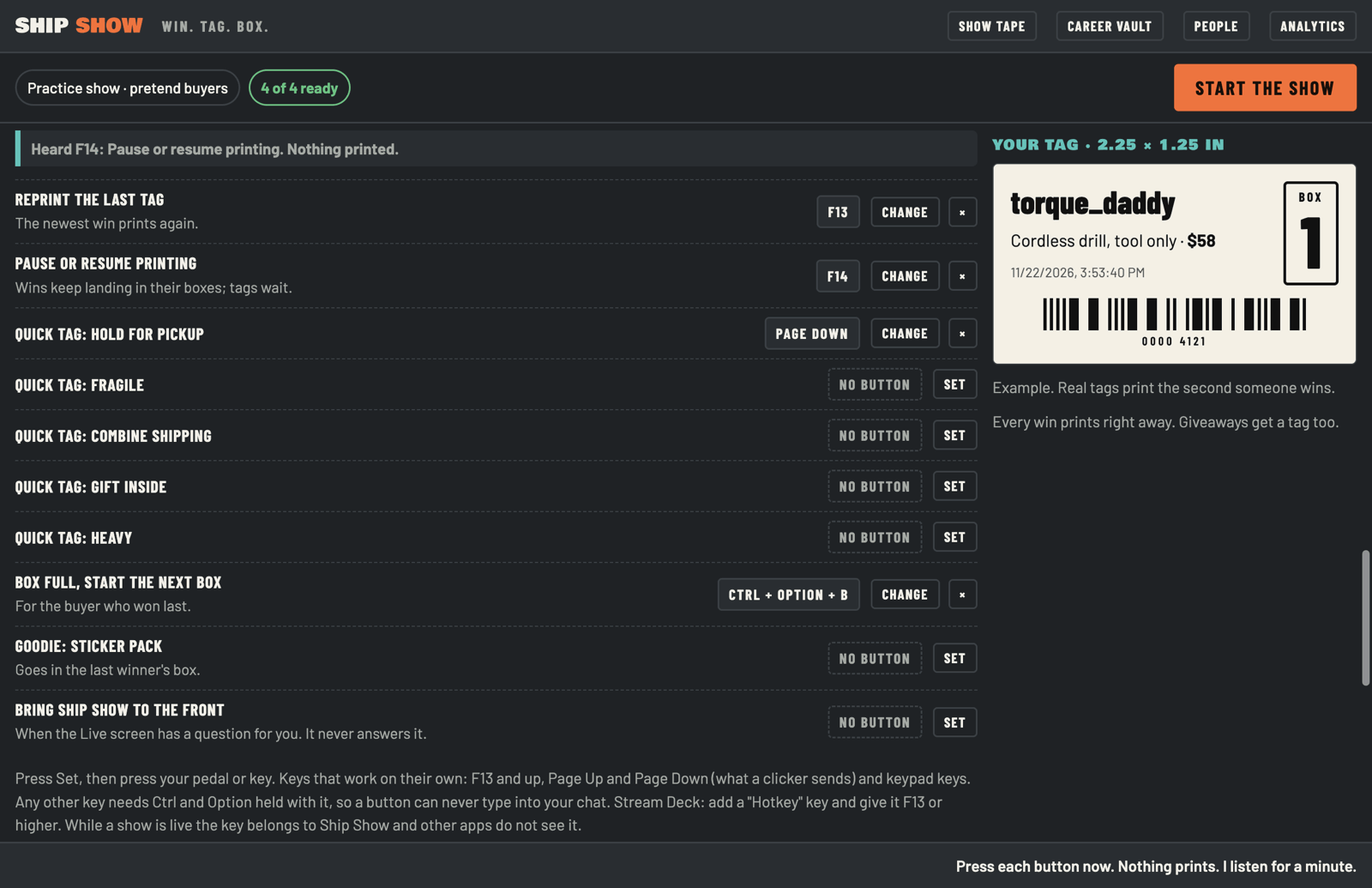
What you see
A short list of jobs, each with the key you gave it, and a "Try my buttons" check.
Try it
Keys belong to the desktop app, so the browser practice show does not have this card. See the picture, or run a practice show at /try/ and imagine your foot on a pedal.
What is not proven yet
We would rather tell you here than have you find out at 11 p.m.
- No real foot pedal, clicker, keypad or Stream Deck has tried it. Only pretend key presses.
- We do not name any pedal or Stream Deck model as working, because none has been tried.
- A dedicated Stream Deck add-on, with its own ready-made keys, is on the roadmap. It is not something you can use today.
- It has not been used on a real show.
Keep going
See every feature on the features page, what is next on the roadmap, or help us poke at it on the testing page.