Phone view: the box wall at the packing table
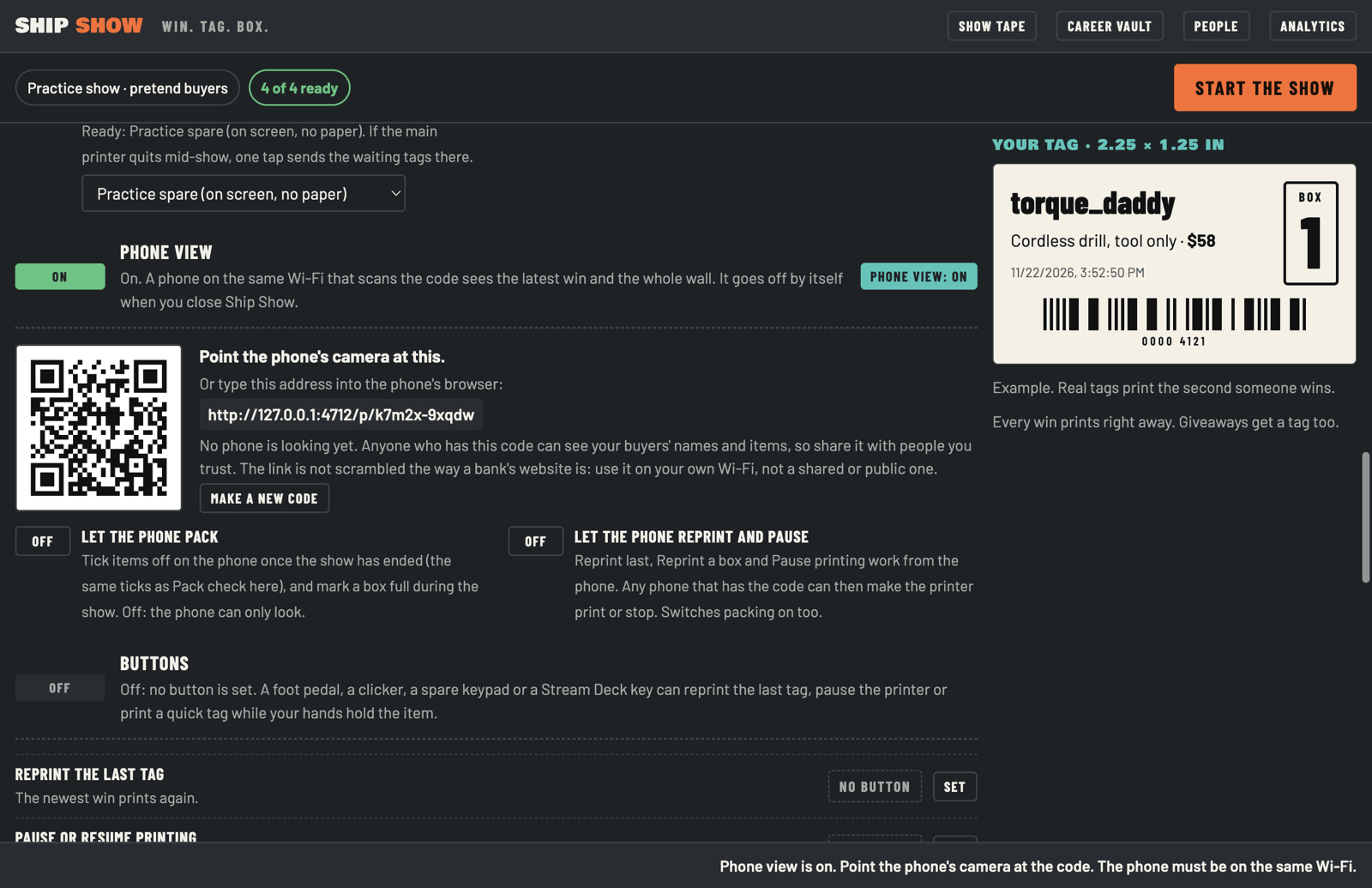
Your helper packs at the table. You stay on the show computer. Scan a code and the box wall opens on a phone or tablet, no app to install.
Built, not tried on a real phone
What it does, step by step
- Switch Phone view on, on the Get show-ready sheet (or behind "Phone" on the Live screen). A scan code appears.
- Scan it with a phone or tablet on the same Wi-Fi.
- The phone shows the latest win in big type, the whole box wall, and a box to find a buyer. Open a box to see its items. It updates by itself.
- Two more switches are off until you turn them on: "Let the phone pack" (tick items off after the show, mark a box full) and "Let the phone reprint and pause".
- Every switch is off again at each start. "Make a new code" cuts every phone off at once.
What you see
The same box wall as the Live screen, sized for a phone. It stays on your own Wi-Fi and nothing goes to the internet. Use it on your own Wi-Fi at home, not on a café or hotel network.
Try it
The practice show in your browser has no Wi-Fi link to a phone, so this part is pictures only. Run one anyway at /try/ to see the box wall the phone would show.
What is not proven yet
We would rather tell you here than have you find out at 11 p.m.
- No real phone or tablet has tried it. It has been tried with a pretend phone (a second window on the same computer) only.
- It has not been tried over a real home Wi-Fi, or with a helper at a real packing table.
- It has not been used on a real show.
Keep going
See every feature on the features page, what is next on the roadmap, or help us poke at it on the testing page.