Tag designer: make the tag yours
A tag is a tiny billboard on every box. Put your logo on it, take off what you never read, and make the box number huge.
Built, not yet printed on real paper
What it does, step by step
- Open the "Your tag" card on the Get show-ready sheet.
- Switch lines on or off: item, price, date, scan code, logo, box number, and a bigger box number.
- Pick a label size: 2.25 x 1.25, 2 x 1, 3 x 2 or 4 x 6 inches.
- Add your own logo picture (PNG or JPG).
- Tap a tag style for a one-tap start: Standard, Big box number, or Bare.
- Save your own quick tags, up to eight, for the things you tag by hand.
- The example tag on the card changes as you go, so you see the tag before it prints.
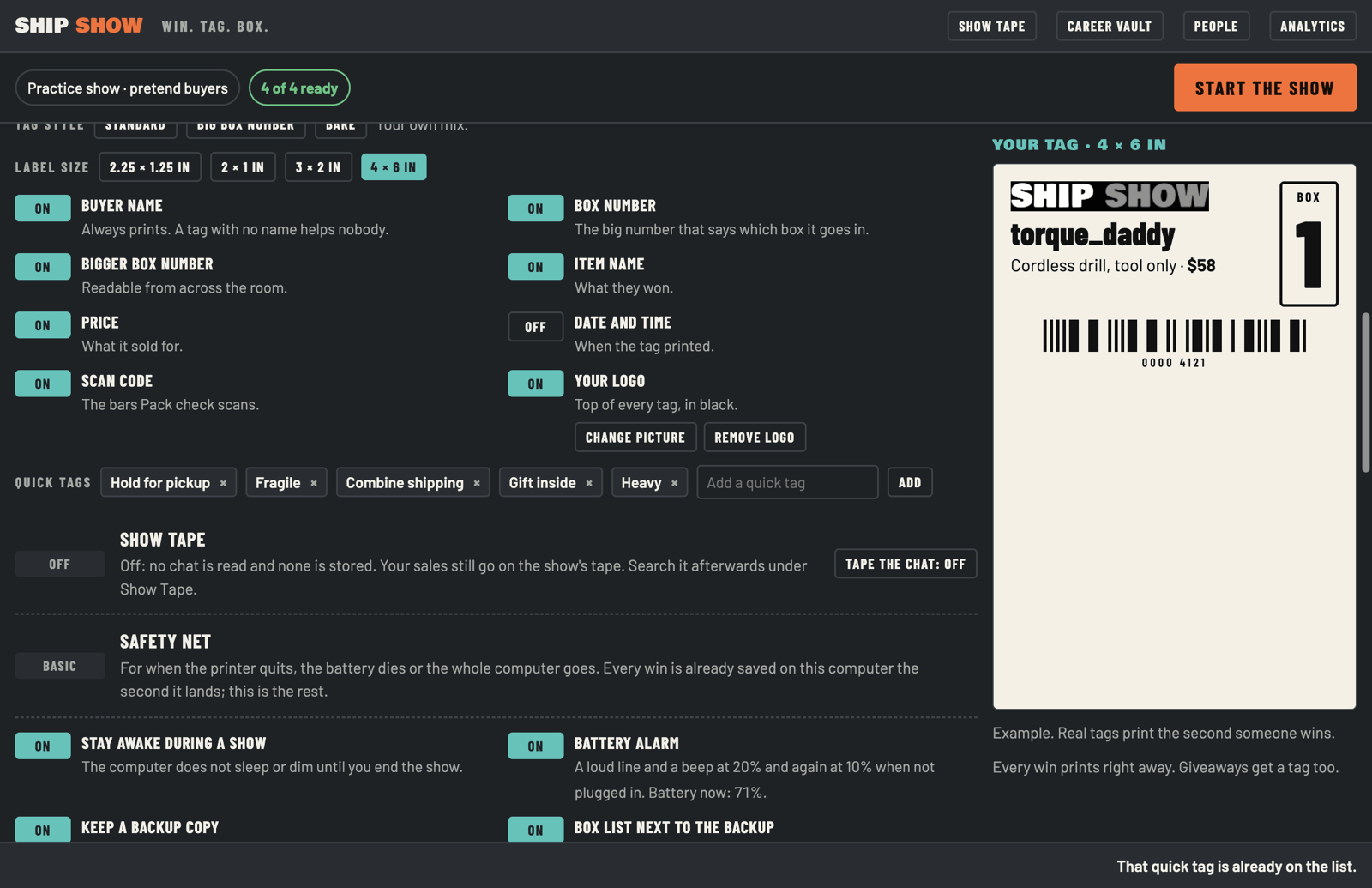
What you see
A card with switches and an example tag that follows them. The tag on the Live screen is the same drawing.
Try it
Open /try/ and find the Your tag card. Flip switches and change the size and watch the example tag. Press Move the pieces to drag the logo, name, box number and the rest on a grid, or use Simple order, a list with up, down and size. Pieces on top of each other, or a scan code too narrow to scan, show in red and are never printed: the last good layout prints. The browser has no logo picker and no printer, so the tag prints on the screen only.
What is not proven yet
We would rather tell you here than have you find out at 11 p.m. Move the pieces and Simple order are built, and no layout made with them has been printed on real paper or scanned by a real scanner. A free canvas to put anything anywhere is parked for a later release.
- No tag has been printed on real label paper, on any of the four sizes. The printer's own paper setting may need to match the size you pick.
- We do not say which printer models work, because none has been tried. A standard thermal label printer is the aim, and tested models will be listed at launch.
- It has not been used on a real show.
Keep going
See every feature on the features page, what is next on the roadmap, or help us poke at it on the testing page.