Safety net: because ship happens
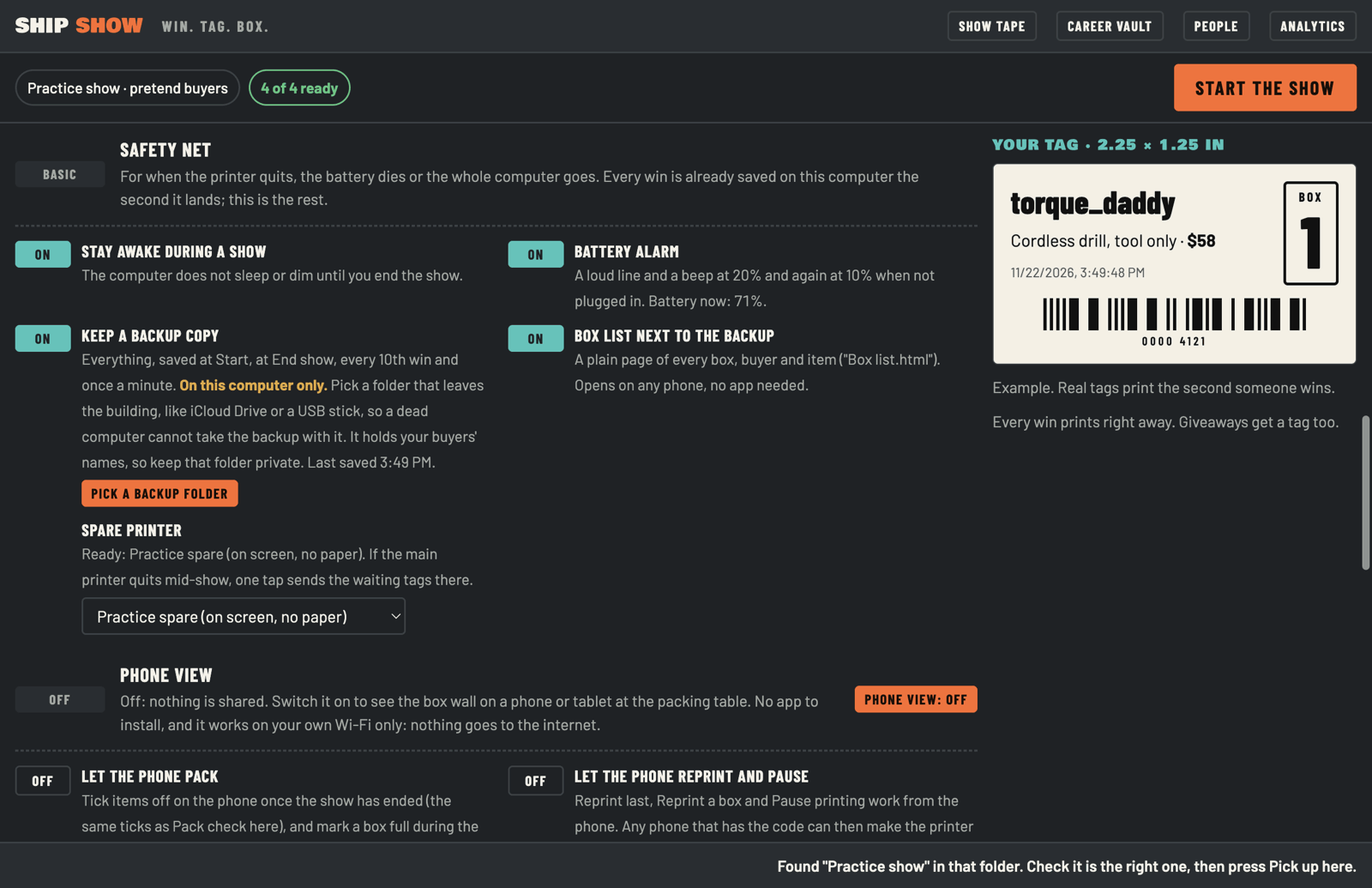
The Mac sleeps, the battery dies, the printer quits. The Safety net is the set of small things that keep a show from ending early.
Tried on a practice show, not yet on a real one
What it does, step by step
- Stay awake. The Mac does not go to sleep during a show.
- Battery alarm. A warning at 20 percent and again at 10 percent.
- Backup copy. A copy of the show is saved at Start, at End show, every tenth win and once a minute, to a folder you choose. A printable box list is saved with it.
- Spare printer. Pick a second printer on the card. If the main one quits, one tap prints on the spare. Use the same label size in both.
- Pick a show up from a backup. On another computer with Ship Show, pick up where the backup left off.
- A pull-the-plug drill runs with every check we make, so the backup is tested, not hoped for.
What you see
A card on the Get show-ready sheet with a switch for each safeguard, and a printable box list in your backup folder.
Try it
The Safety net needs the computer itself (sleep, battery, folders, printers), so it is not in the browser practice show. Run one at /try/ to see the unplugged-printer warning, which is the part you can poke at there.
What is not proven yet
We would rather tell you here than have you find out at 11 p.m.
- It was tried on a practice show only. It has not been tried through a real sleep, a real dead battery, or on a second computer.
- A real spare printer has not been tried on paper.
- Using iCloud Drive as the backup folder has been tried once on the owner's machine; syncing to another device has not.
- It has not been used on a real show.
Keep going
See every feature on the features page, what is next on the roadmap, or help us poke at it on the testing page.